AI CAD generators vs AI mesh generators
By the GrandpaCAD team ·
5 tools compared · facts checked · method v2
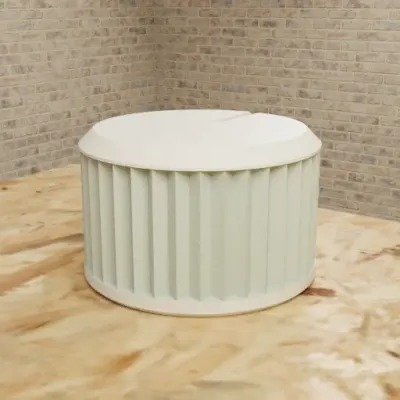
Parts to your millimetres
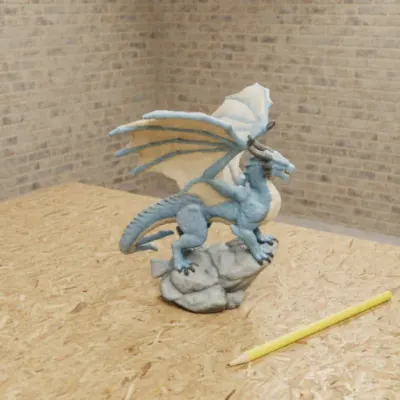
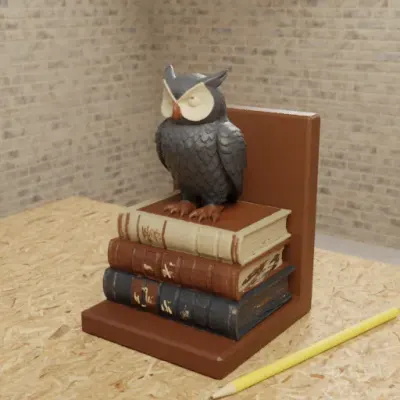
Sculpted figures in colour
As of November 2026, for a print that has to fit, use an AI CAD generator rather than an AI mesh generator; the one we'd use is GrandpaCAD, because it builds parts to the millimetres you type, gives each dimension a slider that doesn't use a generation, and sculpts figurines in the same chat, all from a plain chat. It downloads 3MF, STL or STEP. For professional engineering work in a full CAD modeller with a feature tree, Zoo Design Studio is the better pick.
Try GrandpaCAD free 3 free generations · downloads from $12
An AI CAD generator builds a part from numbers: code or a feature tree with named sizes, so a 20 mm hole is 20 mm in the file. FDM prints holes a little undersize, and the named size is what lets you add clearance after a test print. An AI mesh generator sculpts a surface of triangles that looks right but has no sizes to edit. This page explains the difference; to choose a specific tool, see text to CAD, where we rank them.
The difference in one picture
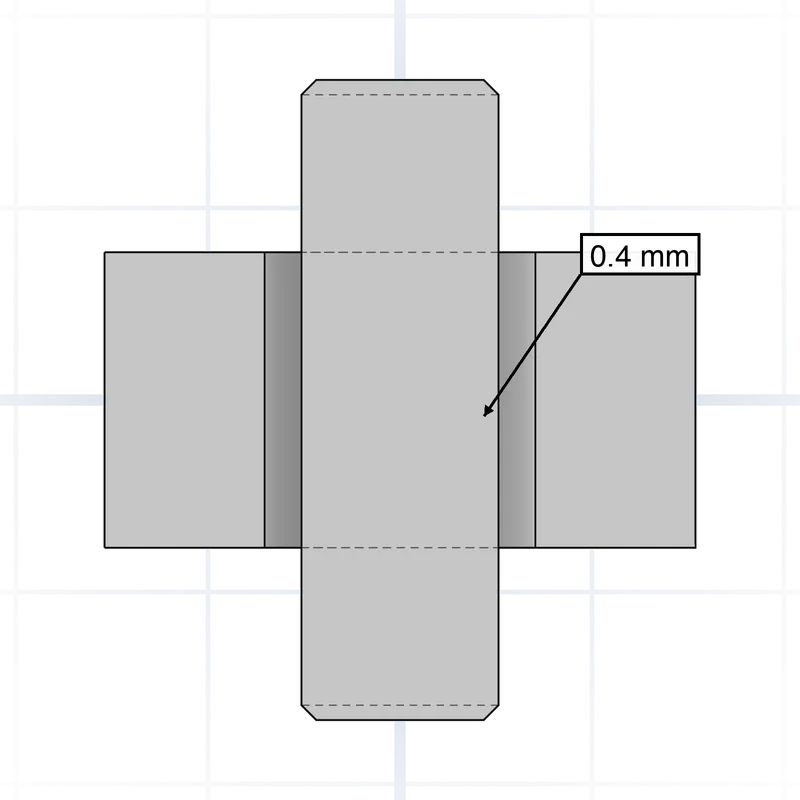
Both kinds start with a prompt. What they hand back is different, and that decides what happens when the first print is 0.4 mm too tight.
In CAD, the model is a recipe: "a 25 mm bore with 0.3 mm clearance in a 4 mm wall". Change 0.3 to 0.4 and the solid is rebuilt from the recipe. In a mesh, the model is the finished cake: tens of thousands of triangles with no idea which of them make "the bore". You can scale the whole thing or cut it, but you can't ask it for a bigger hole.
That's why we call them two different jobs, not two quality levels. A mesh generator is better at a dragon than a CAD tool, and a CAD generator is better at a bracket.
AI CAD vs AI mesh, side by side
The general pattern as of November 2026. Individual tools vary; the per-tool facts are in the table further down.
| What matters | AI CAD generator | AI mesh generator |
|---|---|---|
| What you get | Code (OpenSCAD, KCL, CadQuery) or a feature tree, rendered to a solid | A triangle mesh, often textured |
| Units | The millimetres you typed | Whatever the tool defaults to; often needs scaling |
| Changing a size | Edit a parameter or slider, the part rebuilds | Generate again, or scale the whole mesh |
| Holes, threads, fits | Exact, and named so you can adjust clearance | Approximate at best; threads rarely work |
| Organic shapes | Weak: faces, fur and wings are hard to describe in numbers | Strong: this is what they're built for |
| Colour | One body per colour, if the tool supports it | Textures; some tools split them into filament regions |
| Typical failure | Wrong placement: a hole on the wrong face, a part rotated 90 degrees | Thin or hollow walls, holes in the surface, wrong scale |
| STEP for other CAD | Some tools (GrandpaCAD, Zoo, BuildCAD, Adam) | No |
Sliders vs re-prompting
This is the difference you feel most at the printer. Your first print of anything that fits something else is a test. The pipe clip is a bit loose, the lid binds, the screw post cracked. In a parametric tool you open the clearance slider, move it from 0.2 to 0.35 mm, and export again. Everything else stays exactly as it was.
In a mesh tool the same fix means a new prompt and a new generation, and the new mesh isn't the old mesh with a bigger gap. It's a different mesh. The detail you liked can move, and you pay for the generation again. In the maker threads we read, sliders came up often: one Hacker News commenter called them "way better than regenerating". Source: Launch HN: Adam, checked
Two things to check before you rely on sliders:
- Whether moving one costs anything. In GrandpaCAD it doesn't use a generation, and in CADAM it doesn't need an AI call; in a tool that bills per AI request, a "slider" that re-prompts is just a prompt.
- Whether the sizes you care about became sliders. Name them in the prompt ("make pipe diameter and clearance parameters") rather than hoping the tool guesses which ones you'll change.
It builds the part
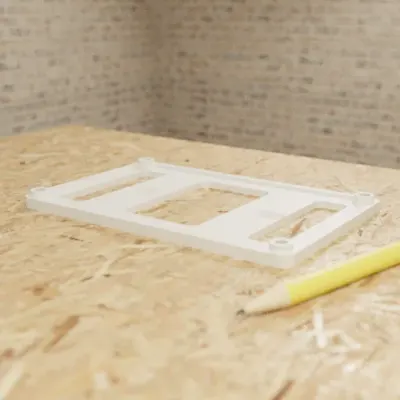
At the sizes you typed. The agent renders the model and checks it before you see it.
You change sizes with sliders
11 sliders in this chat. Moving one doesn't use a generation.
Real millimetres, and why meshes lose them
A CAD model is built from the numbers in it, so "60 x 40 x 25 mm" is 60 x 40 x 25 mm in your slicer. STL and 3MF files carry plain numbers, and slicers read them as millimetres.
Mesh generators work from an image, and an image has no scale. The tool picks one. Meshy's default unit is centimetres (switchable to mm), and resizing needs a paid plan. Source: Meshy docs: 3D printing, checked Open models such as TRELLIS.2 output a GLB with no real-world scale at all, which needs converting and repairing before it prints. Source: TRELLIS.2 README, checked
Scaling a figurine to 120 mm tall is easy in any slicer. Scaling a bracket so its holes land 40 mm apart, while the holes stay 4.5 mm, isn't possible in a mesh: scaling changes everything at once.
CAD isn't immune either. Any size you didn't give has to be guessed, and Zoo's own FAQ tells you to be specific about dimensions because clear prompts produce more accurate results. Source: Zoo FAQ, checked The fix is in the prompt: every critical size, in mm, including the thing the part fits.
Which is better for which print
Our rule of thumb: if the part touches, holds or screws into something, it's CAD. If people look at it, it's a mesh. If it's both, you want a tool that does both.
| Use | Why | |
|---|---|---|
| Brackets, mounts, clips | CAD | Hole spacing and pipe or board sizes must be exact |
| Enclosures and cases | CAD | Port cutouts, screw posts and lid clearance |
| Knobs, adapters, spacers | CAD | A D-shaft or hose barb only fits at its real size |
| Threaded jars and lids | CAD | Threads need pitch and clearance as numbers |
| Name tags, signs, cookie cutters | CAD | Text, outlines and edge thickness you'll tweak |
| Replacement parts | CAD | Measure the broken part, type the numbers |
| Figurines, busts, pets | Mesh | Organic surfaces; scale doesn't have to be exact |
| Tabletop miniatures | Mesh | Detail matters, a standard base size helps |
| Cosplay props, decor | Mesh | Looks first; split and pegs afterwards |
| Bookends, figure on a stand, terrain tiles | Both | A sculpted top on a base that has to be a set size |
AI CAD and mesh generators, compared on what matters here
Not a ranking: three parametric tools, one mesh generator and the open-source option, side by side. Every cell links to its source. To pick one, see text to CAD; for mesh tools, AI 3D model generators for printing; and if you'd rather draw the part yourself, our guide to classic CAD software for 3D printing.
Made by the GrandpaCAD team. We set the criteria and score every tool ourselves, GrandpaCAD included. No sponsors or affiliate links. How we score
Show the five tools side by side: how they build, editing, exports, free tier
| What | GrandpaCAD | BuildCAD AI | Zoo Design Studio | CADAM | Meshy |
|---|---|---|---|---|---|
| How it builds | An agent writes OpenSCAD for parametric parts and runs a sculpting engine for organic shapes; both can be fused into one file.Src: GrandpaCAD 2.0, checked | Web AI agent that builds parametric CAD from text or a photo, with sliders and click-a-face edits. The kernel isn't disclosed.Src: BuildCAD AI pricing, checked | A full parametric CAD app with Zookeeper, a conversational agent that creates and edits B-rep models with a feature tree; the source is KCL code.Src: Zoo FAQ, checked | Open-source text- and image-to-CAD web app on OpenSCAD compiled to WebAssembly; GPL-3.0, 5.4k GitHub stars, last pushed 2026-10-15.Src: CADAM on GitHub, checked | Text or image to a textured mesh; remesh, retexture, rig and animate. No parameters.Src: Meshy docs: 3D printing, checked |
| Editing afterwards | Every dimension you mention can become a slider; moving it rebuilds the part and doesn't use a generation. Sculpted shapes don't follow sliders: a new shape or palette is a new generation; a height slider only scales the whole model.Src: GrandpaCAD pricing and FAQ, checked | Sliders plus conversational and click-a-face edits; slider edits are unlimited on free.Src: BuildCAD AI pricing, checked | Feature tree, sketches and human-readable KCL code.Src: Zoo FAQ, checked | Auto-detected parameter sliders; moving one updates the SCAD without an LLM call.Src: CADAM on GitHub, checked | Mesh only: remesh, retexture, rig, animate. No editable dimensions.Src: Meshy docs: 3D printing, checked |
| Exports | 3MF, STL, STEP, OBJ, GLB and GLTF downloads on a paid pack or plan.Src: GrandpaCAD (STEP export), checked | STEP, STL and 3MF, including on the free plan.Src: BuildCAD AI pricing, checked | STEP, STL, glTF/GLB, OBJ and PLY; FBX through the API only. No 3MF.Src: Zoo Design Studio export docs, checked | STL, SCAD and DXF. No 3MF, no STEP.Src: CADAM on GitHub, checked | STL, 3MF, OBJ, FBX, GLB, USDZ and BLEND.Src: Meshy docs: 3D printing, checked |
| Free tier | 3 trial generations, no card, same output quality as paid. No downloads on the free account.Src: GrandpaCAD pricing and FAQ, checked | 200 free AI credits, no card; STL, 3MF and STEP export included.Src: BuildCAD AI pricing, checked | $0/month: unlimited modelling plus $10/month of metered Zookeeper and API usage. On Free, Zoo trains on your data with no opt-out.Src: Zoo pricing API, checked | Self-hosting is free (GPL-3.0). The hosted version at adam.new/cadam runs on Adam's plans.Src: CADAM on GitHub, checked | 100 credits/month, up to 10 assets, 10 downloads/month; free outputs are CC BY 4.0 (commercial use with attribution).Src: Meshy pricing, checked |
How to prompt each kind
A CAD prompt is a spec. Give every size that matters in millimetres, name the fit, say which face sits on the bed, and ask for the sizes you'll change as parameters.
A cable clip that screws under a desk, holding three 6 mm cables side by side.
Base 50 x 18 x 3 mm with two countersunk holes for 3.5 mm wood screws, 36 mm apart.
Each cable slot snaps closed with a 5 mm opening. Print flat on the base, no supports.
Make cable diameter, number of cables and wall thickness parameters.
A mesh prompt is a description of how it looks. Subject, pose, style, and the things that keep it printable: a flat base, a pose without thin parts sticking out, and a target height you'll set in the slicer.
A sitting fox figurine, tail wrapped around its paws, stylised with chunky shapes and no thin whiskers.
Standing on a flat round base. About 90 mm tall when printed.
Four colours: orange body, white chest and tail tip, black paws, grey base.
Before you print either one, check it like you'd check a download from a model site: the size in the slicer, walls at least two perimeters thick (0.8 mm or more on a 0.4 mm nozzle), overhangs under about 45 degrees or supported, and no repair warnings. Meshy's help centre, for instance, notes that some generated models have "effectively zero thickness" and need solidifying. Source: Meshy help: fixing a hollow model, checked
One more difference: export format. Prefer 3MF over STL when your tool offers it. 3MF stores units and can keep several bodies and filament colours in one file; STL is a single bag of triangles.
When Zoo is the better pick
If you're a professional engineer working on complex mechanical parts, use Zoo Design Studio. A full parametric CAD app with Zookeeper, a conversational agent that creates and edits B-rep models with a feature tree; the source is KCL code. Source: Zoo FAQ, checked GrandpaCAD has no feature tree, and complex assemblies take follow-up turns.
CAD, mesh and both, from GrandpaCAD
Two parametric parts, one sculpted figurine and one that's both. Open any of them to see the parameters.
Hinged Pipe Wall Bracket
- Part
- For a 25 mm pipe
- 1 colour
- 7 sliders
- 3MF
Two-piece clamp for a 25 mm pipe with an M4 closure; change the pipe diameter and it re-fits; assembled-view toggle.
Knurled Potentiometer Knob (6mm D-Shaft)
- Part
- 25 mm across, 6 mm D-shaft
- 1 colour
- 9 sliders
- 3MF
D-shaft bore with a fit_clearance parameter, knurl count and an indicator line; 9 parameters.
Sculpted Dragon Figurine
- Sculpted
- 65 mm dragon on a 75 mm base
- Up to 4 colours
- 3 sliders
- 3MF
Sculpted dragon on a round base, up to 4 colours. Base diameter and base height are real sliders; the height slider resizes the whole dragon, and a different shape is a new generation.
Owl Bookend
- Sculpted
- 150 mm tall
- Up to 3 colours
- 1 slider
- 3MF
Sculpted owl on books as a bookend, up to 3 colours. The height slider resizes the whole bookend; a different shape is a new generation.
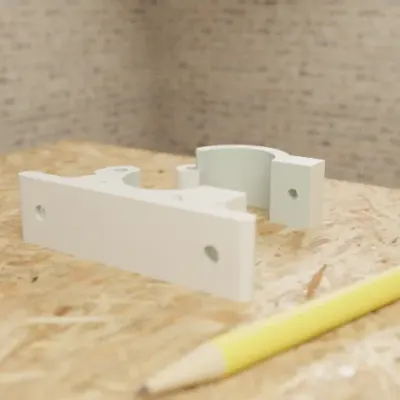
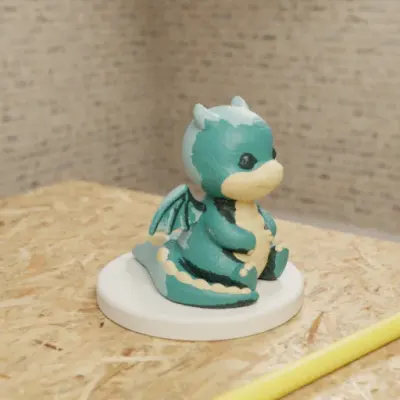
Real GrandpaCAD outputs from public chats our team published; each picture is that chat's own preview render. Open one to see the model, its sliders and the conversation. Sizes and slider counts read from each chat on 8 Nov 2026.
Questions people ask
What is an AI CAD generator?
An AI CAD generator turns a description into a parametric model: code or a feature tree with named dimensions, built at the sizes you state, that you can change afterwards. An AI mesh generator (Meshy, Tripo and similar) makes a sculpted triangle surface instead, with no dimensions to edit.
Is there a free AI CAD generator?
Some have a free tier. GrandpaCAD, the one we recommend, is free to try: 3 generations with no card, but downloads need a paid pack (from $12) or plan. As of November 2026, Zoo Design Studio's free plan includes $10 a month of AI usage and free exports (Zoo trains on free-plan data), BuildCAD AI gives 200 free credits with STL, 3MF and STEP export, and CADAM is open source and free to self-host. More in free AI CAD.
Can an AI CAD generator work from an image?
Several can. GrandpaCAD takes photos and dimensioned sketches in the chat, and every labelled size becomes a slider; Zoo's agent takes prompts, images and sketches, BuildCAD takes a photo, and CADAM takes an image or sketch. Expect two or three rounds of corrections, because one photo has no scale. See image to STL.
Can I edit an STL from an AI mesh generator?
Only as a mesh: you can scale, cut, hollow or repair it in a mesh tool, but you can't change "the hole" to 8 mm, because an STL has no holes, just triangles. If you'll need to change sizes, generate the part as CAD in the first place.
Is parametric AI CAD accurate enough for functional parts?
For the dimensions you state, usually yes: they're numbers in the model, not guesses. What goes wrong is spatial: a hole on the wrong face, a part rotated 90 degrees, a guessed size you didn't specify. Measure the critical features in your slicer and print a small test of any fit before the full part.