We name two picks, our own tool and Zoo for professional engineering, and show every score so you can judge.
As of November 2026, the AI STL generator we'd use is GrandpaCAD, and we think it's the easiest: you describe the part in a chat, it builds the millimetres you type and turns each one into a slider, and the same chat sculpts figures. It downloads STL, 3MF or STEP. For professional engineering work in a full CAD modeller, Zoo Design Studio is the better pick.
A good AI STL slices first time: closed, in millimetres, walls thick enough. This page is about that, plus the other meaning of "text to STL", 3D lettering. If you're still working out how to use AI for 3D printing, start with the beginner's guide.
Short answer
GrandpaCADfor parts in real millimetres with sliders, and sculpted figurines from the same chat, as STL, 3MF or STEP.
Zoo Design Studiofor professional engineers who want a full parametric CAD app with a feature tree around the AI.
6 part and 3 figure generators at a glanceOut of 14, on our published weights. Facts checked 8 Nov 2026.
Rank 1: GrandpaCADour pick13 out of 14
Rank 2: BuildCAD AI11 out of 14
Rank 3, tied: CADAM10 out of 14
Rank 3, tied: Zoo Design Studiofor pro engineering10 out of 14
Rank 5: ModelRift8 out of 14
Rank 6: Meshy7 out of 14
Rank 7, tied: 3D AI Studio6.5 out of 14
Rank 7, tied: ChatGPT, Claude or Gemini + OpenSCAD6.5 out of 14
Rank 9: Tripo AI5 out of 14
Made by the GrandpaCAD team. We set the criteria and score every tool ourselves, GrandpaCAD included. No sponsors or affiliate links. How we score
Part or figure: two kinds of AI STL generator
"Text to STL" gets typed by people who want three different things: a functional part (a spacer, a bracket, a box), a decorative model (a dragon, a bust) or a word in raised letters. The first and third are geometry with numbers, and a CAD generator handles them well. The second is a sculpt, which is what mesh generators are for.
The practical difference shows up at the slicer. A CAD generator's STL is a closed solid at the size you typed, so it usually slices as is. A mesh generator's STL needs its scale set and its walls checked: the 3dprinting.com roundup (last reviewed May 2026) says "almost none" of the mesh generators print without cleanup. Source: 3dprinting.com: AI 3D model generators (last reviewed 2026-05-22), checked
Our verdict
Pick GrandpaCADfor a part you'll adjust after a test print: every size you mention becomes a slider that doesn't use a generation, and the file comes as STL, 3MF or STEP.
Pick GrandpaCADfor a figure, too: the same chat sculpts it and paints the 3MF in four filaments by default.
Pick Zoo Design Studioif you're a professional engineer who wants a feature tree and a full CAD workflow.
AI STL generators for parts that fit
These build solids from numbers. We recommend GrandpaCAD and Zoo Design Studio for professional engineering; the others follow in score order.
YesPartlyNoNot listed
Rank 1 on this page: GrandpaCAD
Parametric CAD + sculpted meshes
Anyone who can describe a part in a chat: functional parts in real millimetres with a slider per dimension, threads and fits, and sculpted multi-colour figurines, from the same chat.
Exact mm: Yes. Dimensions in your message land as real millimetres.
Edit after: Yes. Sliders rebuild CAD parts without a new generation. Sculpted parts need a re-cut.
Sculpts: Yes. Photo or prompt to a sculpted figurine.
STL/3MF: Yes. 3MF and STL open 1:1 in Bambu Studio, PrusaSlicer and OrcaSlicer.
No CAD skills: Yes. Describe the part; no CAD skills needed.
Multi-colour: Yes. Four filaments by default, one slot per region.
STEP: Yes. STEP download on a paid pack or plan.
Free files: No. 3 free generations, but downloads need a paid pack or plan.
Strengths, gaps, exports and price
Where it wins
Builds to your millimetres. Dimensions in your message land as real millimetres.
Change sizes without re-prompting. Sliders rebuild CAD parts without a new generation. Sculpted parts need a re-cut.
Where it falls short
Free plan includes downloads: 3 free generations, but downloads need a paid pack or plan.
Exports
3MF, STL, STEP, OBJ, GLB and GLTF downloads on a paid pack or plan.
Free plan
3 trial generations, no card, same output quality as paid. No downloads on the free account.
Paid from
$12 one-off for 25 generations (valid 1 year); $24/month for 70; $228/year for 840. Prices exclude tax.
Our pick for professional engineers working on complex mechanical parts: a full parametric CAD app with a feature tree, where the AI's model stays real CAD you can keep editing and export as STEP.
Best for professional engineers and complex mechanical parts
Exact mm: Yes. B-rep solids at modelled dimensions; missing ones get guessed.
Edit after: Yes. Feature tree and KCL code.
Sculpts: Not listed. Mechanical CAD; no sculpting listed.
STL/3MF: Yes. STL export of closed solids.
No CAD skills: Partly. Prompts work, but you land in a full CAD app; Zoo's FAQ suggests building a part one feature at a time.
Multi-colour: No. No 3MF or colour export.
STEP: Yes. STEP export.
Free files: Yes. Free plan exports; Zoo trains on free-plan data.
Strengths, gaps, exports and price
Where it wins
Builds to your millimetres. B-rep solids at modelled dimensions; missing ones get guessed.
Change sizes without re-prompting. Feature tree and KCL code.
Where it falls short
Sculpted shapes: Mechanical CAD; no sculpting listed.
Multi-colour 3MF: No 3MF or colour export.
Exports
STEP, STL, glTF/GLB, OBJ and PLY; FBX through the API only. No 3MF.
Free plan
$0/month: unlimited modelling plus $10/month of metered Zookeeper and API usage. On Free, Zoo trains on your data with no opt-out.
Paid from
Plus $20/month ($200 usage value, training opt-out); Pro $99/month; Team $399/user/month.
In score order, out of 14, with what each one does from its own documentation.
Rank 2: BuildCAD AI11 / 14Web AI agent that builds parametric CAD from text or a photo, with sliders and click-a-face edits. The kernel isn't disclosed. Source: BuildCAD AI pricing, checked
Rank 3, tied: CADAM10 / 14Open-source text- and image-to-CAD web app on OpenSCAD compiled to WebAssembly; GPL-3.0, 5.4k GitHub stars, last pushed 2026-10-15. Source: CADAM on GitHub, checked
Rank 5: ModelRift8 / 14AI writes OpenSCAD; you annotate the rendered model with pen and arrow tools to request changes. Source: ModelRift pricing, checked
Rank 6: ChatGPT, Claude or Gemini + OpenSCAD6.5 / 14A chat model writes OpenSCAD (or CadQuery/build123d); you paste it into OpenSCAD, render, describe what's wrong and repeat. Source: OpenSCAD, checked
YesPartlyNoNot listed
All 6 part generators against the four criteria that matter most for an STL, checked 2026-11-08. Every mark links to its source and check date.
Tool
Exact mm×3Builds to your millimetres (weight 3)
STL/3MF×2Slicer-ready export (weight 2)
STEP×1STEP export (weight 1)
Free files×1Free plan includes downloads (weight 1)
A brief that gets a printable part out of any of them names every critical size, the fit and how it sits on the bed:
prompt: A cable clip that screws under...
A cable clip that screws under a desk: holds four 6 mm cables side by side,
snap-in slots with 0.3 mm clearance, base 70 x 18 x 3 mm with two countersunk holes for 3.5 mm wood screws.
Print it flat on the base with no supports. Make the cable diameter and count parameters.
AI STL generators for figures and decorations
Mesh generators sculpt organic shapes but have no editable dimensions; GrandpaCAD sculpts figures too, in the same chat as parts. For the full field, see AI 3D model generators for printing.
Exports, printing help, free plan and licence for Meshy, Tripo and 3D AI Studio
Three mesh generators that export STL, checked 2026-11-08.
STL, 3MF, OBJ, FBX, GLB, USDZ, BLEND and PLY.Src: 3D AI Studio, checked
Printing help
Printability check plus "Make Printable" repair for non-manifold edges and holes: 10 credits, paid plan for Meshy-generated models. Default unit is cm (switchable to mm); resizing needs a paid plan; 1.2 mm minimum FDM wall advised.Src: Meshy docs: 3D printing, checked
A third-party guide credits it with auto-repair and direct STL/3MF export but says to verify output. Tripo's own blog lists holes, flipped normals, thin walls and scale errors as the usual causes of unprintable models.Src: Tripo blog: why is my model not printable, checked
Vendor: "Watertight STL and 3MF, scaled for your slicer".Src: 3D AI Studio, checked
Free plan
100 credits/month, up to 10 assets, 10 downloads/month; free outputs are CC BY 4.0 (commercial use with attribution).Src: Meshy pricing, checked
"Commercial use allowed on all generated models."Src: 3D AI Studio pricing, checked
3D text and lettering STLs
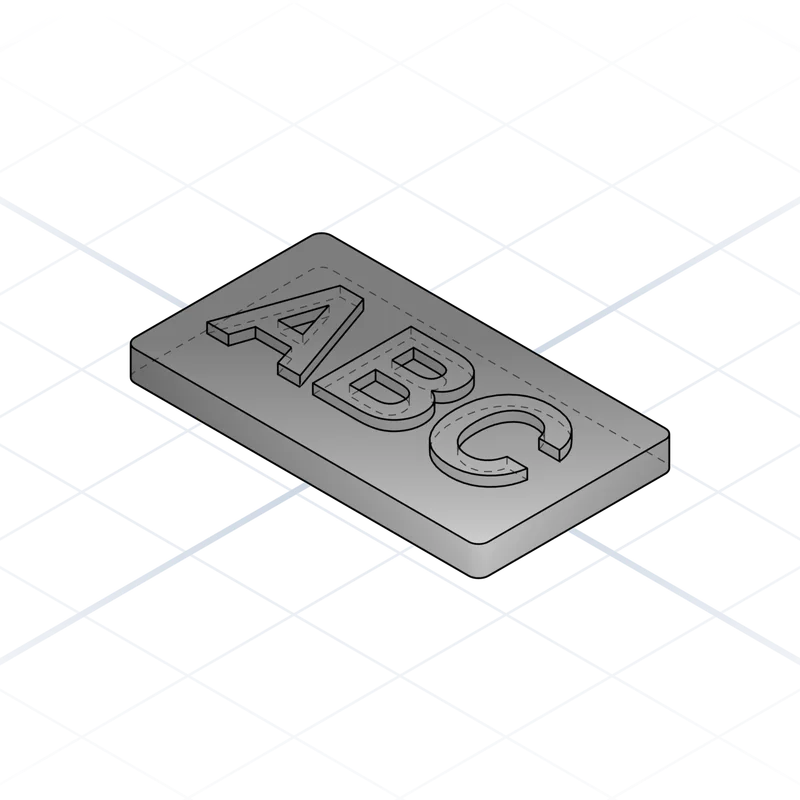
Half the "text to STL" searches mean literal text: a name plate, a door sign, a keyring with a name. You don't need a sculpting AI for that, and a mesh generator is a poor fit, because letters need crisp edges and readable strokes.
Two ways to make one, plus logos:
OpenSCAD by hand or with a chatbot: linear_extrude(height = 2) text("ANNA", size = 12, font = "Liberation Sans:style=Bold"); on top of a cube() plate. Free, exact, and every number is yours. Source: OpenSCAD, checked
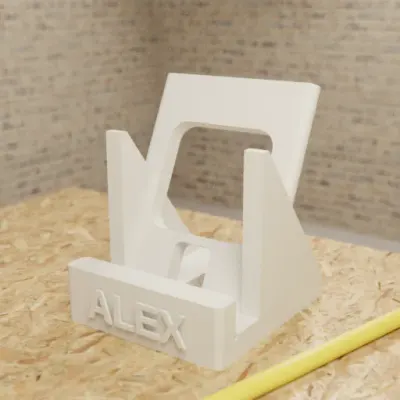
A CAD generator: ask for raised or engraved lettering and say whether the text should be a separate part. GrandpaCAD makes the text a parameter, as in the public name phone stand, and can split it into its own object in the 3MF for a second filament.
For a logo, convert it to SVG first and extrude that; grandpacad.com has a separate SVG to STL page for that job, so we won't repeat it here.
Common maker rules of thumb, whichever tool you use (general guidance, not something we measured): keep the thinnest stroke at least two nozzle widths (0.8 mm on a 0.4 mm nozzle), raise letters 1 to 2 mm above the plate, use a bold sans-serif under about 10 mm letter height, and print lettering face up. For two colours without an AMS, raised text on a flat plate lets you swap filament at the layer where the letters start.
prompt: A desk name plate 120 x...
A desk name plate 120 x 35 x 4 mm with "MARTA KOVAC" raised 1.5 mm on the front face,
bold sans-serif, 14 mm letter height, centred. Text as a separate part for a second colour.
Make the name text, letter height and plate size parameters.
Embossed text on a plate: a separate letter body makes a two-colour print easy. Drawing from the GrandpaCAD cheatsheet.
Read the size the slicer reports. If it's 10 or 1,000 times off, it's a unit problem (Meshy defaults to cm), so scale by exactly that factor. Source: Meshy docs: 3D printing, checked
Accept the slicer's repair prompt for small non-manifold errors, then scrub through the sliced layers. If walls are missing, don't trust the repair: in one Bambu forum thread a model with non-manifold edges still sliced with missing walls after it. Source: Bambu Lab forum: non-manifold edges repair causing missing walls, checked
Look for walls under about 1.2 mm on figures (Meshy's advised FDM minimum) and for holes sized without clearance on parts.
For a part that has to fit, print only the critical feature first: a 3 mm slice through the bore costs minutes, not hours.
If the mesh keeps failing, regenerate with a simpler shape, or re-make it as one solid. GrandpaCAD can take an uploaded STL and repair it, resize it, add a base or cut it in two (uploaded-mesh editing is labelled early access).
When Zoo is the better pick
If you're a professional engineer and the STL is one output of a bigger CAD job, use Zoo Design Studio: a full parametric CAD app with a feature tree, sketches and editable KCL code, exporting STEP and STL, and its free plan includes exports (Zoo trains on free-plan data). Source: Zoo FAQ, checked GrandpaCAD has no feature tree.
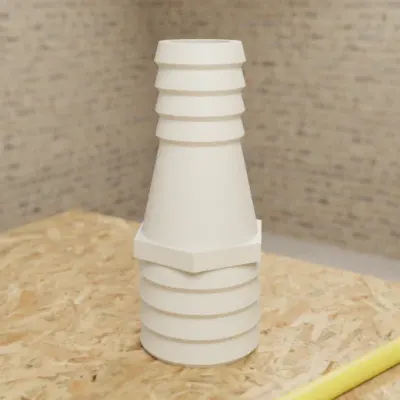
Both hose diameters, barb count and wall thickness as parameters.
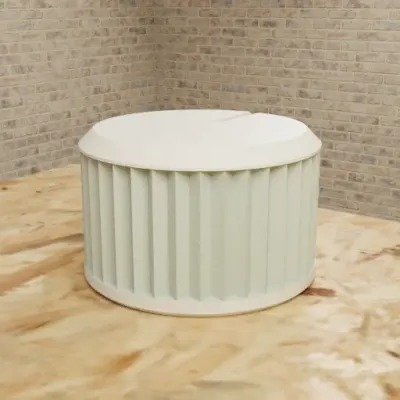
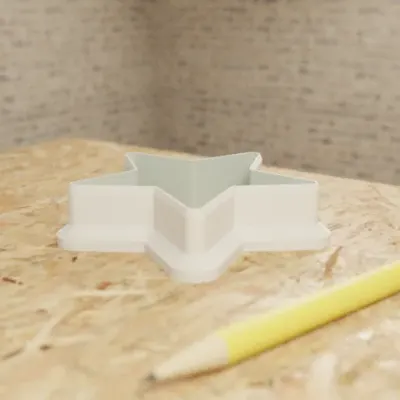
Real GrandpaCAD outputs from public chats our team published; each picture is that chat's own preview render. Open one to see the model, its sliders and the conversation. Sizes and slider counts read from each chat on 8 Nov 2026.
Questions people ask
Can AI generate STL files?
Yes. CAD generators (GrandpaCAD, BuildCAD, CADAM, Zoo) build a solid from your description and export STL; mesh generators (Meshy, Tripo, 3D AI Studio) sculpt a mesh and export STL or 3MF. A chatbot like ChatGPT can write OpenSCAD code that you render to STL yourself.
Is there a free AI STL generator?
Some let a free account download; the one we recommend, GrandpaCAD, is free to try but not to download: free accounts get 3 trial generations, and downloads need a paid pack (from $12) or plan. As of November 2026, BuildCAD AI's free plan gives 200 credits with STL, 3MF and STEP export, Zoo's free plan exports STL, CADAM is free when you host it yourself, and Meshy's free plan allows 10 downloads a month under CC BY 4.0. Every free tier is compared on our free AI CAD page.
How do I make a 3D text STL?
Ask a CAD generator for raised text on a backing plate with the font height, letter depth and plate size in millimetres, or write it yourself with OpenSCAD's text() and linear_extrude(). Keep strokes at least two nozzle widths thick, and make the text a separate part if you want it in another colour.
Should I generate STL or 3MF?
3MF when the tool offers it: it carries units, several parts and filament colours, and Bambu Studio, PrusaSlicer and OrcaSlicer open it directly. STL is a bare triangle mesh with no units or colours, which is fine for a single-colour part.
Why is my AI-generated STL the wrong size?
STL has no unit, so slicers assume millimetres. A file exported in centimetres (Meshy's default unit) or metres arrives 10 or 1,000 times too small. Switch the export unit to mm, or scale by exactly 1,000% or 100,000% in the slicer.