Best AI CAD

Text to CAD: which tools turn a sentence into a part you can print

By the GrandpaCAD team ·

9 tools compared · facts checked · method v2

Top 4 of 9 on our 14-point score

  1. 1GrandpaCADour pick13 of 14
  2. 2BuildCAD AI11 of 14
  3. =3CADAM10 of 14
  4. =3Zoo Design Studiofor pro engineering10 of 14

We name two picks, our own tool and Zoo for professional engineering, and show every score so you can judge.

As of November 2026, the best text-to-CAD tool for 3D printing on our criteria is GrandpaCAD, and we think it's the easiest: you type the part into a chat, and it builds it in OpenSCAD at the millimetres you give, with a slider for each dimension, threads and fits, and exports multi-colour 3MF, STL or STEP. For professional engineering work in a full CAD modeller with a feature tree, Zoo Design Studio is the better pick.

Try GrandpaCAD free 3 free generations · downloads from $12

Text to CAD is software that turns a written description into a solid model with editable dimensions, as code or a feature tree. We compared 9 such tools on real millimetres, editing afterwards, STEP, slicer files and what's free, with a source and check date on every fact.

Short answer

  1. GrandpaCAD for a maker's part: describe it in a chat, nudge sizes with sliders after a test print, add a sculpted element or several filament colours, and download 3MF, STL or STEP.

  2. Zoo Design Studio for professional engineers who want a full parametric CAD app with a feature tree around the AI.

The 9 text-to-CAD tools at a glance Out of 14, on our published weights. Facts checked 8 Nov 2026.
  1. Rank 1: GrandpaCADour pick13 out of 14
  2. Rank 2: BuildCAD AI11 out of 14
  3. Rank 3, tied: CADAM10 out of 14
  4. Rank 3, tied: Zoo Design Studiofor pro engineering10 out of 14
  5. Rank 5, tied: Adam8 out of 14
  6. Rank 5, tied: ModelRift8 out of 14
  7. Rank 7: Autodesk Fusion + Assistant7 out of 14
  8. Rank 8: ChatGPT, Claude or Gemini + OpenSCAD6.5 out of 14
  9. Rank 9: Backflip AI5.5 out of 14

Made by the GrandpaCAD team. We set the criteria and score every tool ourselves, GrandpaCAD included. No sponsors or affiliate links. How we score

What text to CAD means for a printed part

A text-to-CAD tool writes geometry you can measure: OpenSCAD code (GrandpaCAD, CADAM, ModelRift), KCL code behind a feature tree (Zoo), or native features in a CAD app (Adam, Fusion). Because the model is built from numbers, a 20 mm hole is exactly 20 mm in the file. An FDM printer will still print it a little small, which is why you want that number, or a clearance, as a slider you can change after a test print without starting over.

Text-to-3D tools such as Meshy and Tripo do a different job: a triangle mesh that looks right, with no dimensions to edit (Meshy's default unit is even centimetres). That suits a figurine's looks, not a bracket that has to fit a pipe; AI CAD vs mesh generators explains the difference, and Meshy vs Tripo covers the mesh side. For printing, "good" means it builds to the millimetres you state, you can change sizes afterwards, it exports STL or 3MF your slicer opens cleanly, and you don't need to know CAD. STEP matters only if the part continues in Fusion, Onshape or SOLIDWORKS, and if you'd rather learn CAD yourself, see the best CAD software for 3D printing.

The 9 text-to-CAD tools, ranked

Ordered by the same weights as the main ranking; the number is each tool's place on this page. We recommend two, GrandpaCAD and, for professional engineering, Zoo Design Studio; the other 7 follow in score order.

Rank 1 on this page: GrandpaCAD

Parametric CAD + sculpted meshes

Anyone who can describe a part in a chat: functional parts in real millimetres with a slider per dimension, threads and fits, and sculpted multi-colour figurines, from the same chat.

Strengths, gaps, exports and price

Where it wins

  • Builds to your millimetres. Dimensions in your message land as real millimetres.
  • Change sizes without re-prompting. Sliders rebuild CAD parts without a new generation. Sculpted parts need a re-cut.

Where it falls short

  • Free plan includes downloads: 3 free generations, but downloads need a paid pack or plan.
Exports
3MF, STL, STEP, OBJ, GLB and GLTF downloads on a paid pack or plan.
Free plan
3 trial generations, no card, same output quality as paid. No downloads on the free account.
Paid from
$12 one-off for 25 generations (valid 1 year); $24/month for 70; $228/year for 840. Prices exclude tax.

Sources: GrandpaCAD (STEP export) (2026-11-08); GrandpaCAD pricing and FAQ (2026-11-08)
Rank 3, tied on this page: Zoo Design Studio

Parametric CAD from text

Our pick for professional engineers working on complex mechanical parts: a full parametric CAD app with a feature tree, where the AI's model stays real CAD you can keep editing and export as STEP.

Best for professional engineers and complex mechanical parts

Strengths, gaps, exports and price

Where it wins

  • Builds to your millimetres. B-rep solids at modelled dimensions; missing ones get guessed.
  • Change sizes without re-prompting. Feature tree and KCL code.

Where it falls short

  • Sculpted shapes: Mechanical CAD; no sculpting listed.
  • Multi-colour 3MF: No 3MF or colour export.
Exports
STEP, STL, glTF/GLB, OBJ and PLY; FBX through the API only. No 3MF.
Free plan
$0/month: unlimited modelling plus $10/month of metered Zookeeper and API usage. On Free, Zoo trains on your data with no opt-out.
Paid from
Plus $20/month ($200 usage value, training opt-out); Pro $99/month; Team $399/user/month.

Sources: Zoo Design Studio export docs (2026-11-08); Zoo pricing API (2026-11-08)

Every other tool we checked

In score order (the chart above has the scores), with what each one does from its own documentation.

  1. Rank 2: BuildCAD AIWeb AI agent that builds parametric CAD from text or a photo, with sliders and click-a-face edits. The kernel isn't disclosed. Source: BuildCAD AI pricing, checked
  2. Rank 3, tied: CADAMOpen-source text- and image-to-CAD web app on OpenSCAD compiled to WebAssembly; GPL-3.0, 5.4k GitHub stars, last pushed 2026-10-15. Source: CADAM on GitHub, checked
  3. Rank 5, tied: Adam"An AI CAD copilot for hardware teams" that edits native models in Onshape, Fusion, SOLIDWORKS, NX, Inventor and CATIA V5. Source: Adam llms.txt, checked
  4. Rank 5, tied: ModelRiftAI writes OpenSCAD; you annotate the rendered model with pen and arrow tools to request changes. Source: ModelRift pricing, checked
  5. Rank 7: Autodesk Fusion + AssistantFull parametric CAD; the Assistant writes and runs Fusion API scripts and basic features (extrude, fillet, shell). Text-to-geometry "neural CAD" was announced but we found no confirmation it's generally available. Source: makers101: ChatGPT and Fusion 360 (2026-10-10), checked
  6. Rank 8: ChatGPT, Claude or Gemini + OpenSCADA chat model writes OpenSCAD (or CadQuery/build123d); you paste it into OpenSCAD, render, describe what's wrong and repeat. Source: OpenSCAD, checked
  7. Rank 9: Backflip AIRebuilds scans and meshes, engineering drawings, or a phone photo with one known dimension into feature-tree CAD. Not text-first. Source: Backflip AI, checked

YesPartlyNoNot listed

All the text-to-CAD tools against our eight criteria, checked 8 Nov 2026. Every mark links to its source and check date.
ToolBuilds to your millimetres (weight 3)Change sizes without re-prompting (weight 2)Sculpted shapes (weight 2)Slicer-ready export (weight 2)No CAD skills needed (weight 2)Multi-colour 3MF (weight 1)STEP export (weight 1)Free plan includes downloads (weight 1)
GrandpaCADYes. Dimensions in your message land as real millimetres. Source: GrandpaCAD: CAD for 3D printing, checked 2026-11-08Yes. Sliders rebuild CAD parts without a new generation. Sculpted parts need a re-cut. Source: GrandpaCAD pricing and FAQ, checked 2026-11-08Yes. Photo or prompt to a sculpted figurine. Source: GrandpaCAD: image to 3D model, checked 2026-11-08Yes. 3MF and STL open 1:1 in Bambu Studio, PrusaSlicer and OrcaSlicer. Source: GrandpaCAD: CAD for 3D printing, checked 2026-11-08Yes. Describe the part; no CAD skills needed. Source: GrandpaCAD: CAD for 3D printing, checked 2026-11-08Yes. Four filaments by default, one slot per region. Source: GrandpaCAD 2.0, checked 2026-11-08Yes. STEP download on a paid pack or plan. Source: GrandpaCAD (STEP export), checked 2026-11-08No. 3 free generations, but downloads need a paid pack or plan. Source: GrandpaCAD pricing and FAQ, checked 2026-11-08
BuildCAD AIYes. Parametric CAD from your measurements. Source: BuildCAD AI: CAD for 3D printing, checked 2026-11-08Yes. Sliders and click-a-face edits. Source: BuildCAD AI pricing, checked 2026-11-08Not listed. No sculpting or figurine mode listed. Source: BuildCAD AI pricing, checked 2026-11-08Yes. STL and 3MF export. Source: BuildCAD AI pricing, checked 2026-11-08Yes. Text or photo in, part out. Source: BuildCAD AI pricing, checked 2026-11-08Not listed. Not stated. Source: BuildCAD AI pricing, checked 2026-11-08Yes. STEP export, also on free. Source: BuildCAD AI pricing, checked 2026-11-08Yes. Exports included on the 200-credit free plan. Source: BuildCAD AI pricing, checked 2026-11-08
CADAMYes. OpenSCAD solids in model units. Source: CADAM on GitHub, checked 2026-11-08Yes. Auto-detected sliders. Source: CADAM on GitHub, checked 2026-11-08Not listed. OpenSCAD only; no sculpting. Source: CADAM on GitHub, checked 2026-11-08Yes. STL export. Source: CADAM on GitHub, checked 2026-11-08Yes. Text or image in. Source: CADAM on GitHub, checked 2026-11-08No. No 3MF. Source: CADAM on GitHub, checked 2026-11-08No. No STEP. Source: CADAM on GitHub, checked 2026-11-08Yes. Free when self-hosted. Source: CADAM on GitHub, checked 2026-11-08
Zoo Design StudioYes. B-rep solids at modelled dimensions; missing ones get guessed. Source: Zoo FAQ, checked 2026-11-08Yes. Feature tree and KCL code. Source: Zoo FAQ, checked 2026-11-08Not listed. Mechanical CAD; no sculpting listed. Source: Zoo FAQ, checked 2026-11-08Yes. STL export of closed solids. Source: Zoo Design Studio export docs, checked 2026-11-08Partly. Prompts work, but you land in a full CAD app; Zoo's FAQ suggests building a part one feature at a time. Source: Zoo FAQ, checked 2026-11-08No. No 3MF or colour export. Source: Zoo Design Studio export docs, checked 2026-11-08Yes. STEP export. Source: Zoo Design Studio export docs, checked 2026-11-08Yes. Free plan exports; Zoo trains on free-plan data. Source: Zoo pricing API, checked 2026-11-08
AdamYes. Native CAD features. Source: Adam docs: modeling, checked 2026-11-08Yes. Native feature trees. Source: Adam docs: modeling, checked 2026-11-08Not listed. Not a focus. Source: Adam llms.txt, checked 2026-11-08Partly. Through the host CAD app's export. Source: Adam docs: modeling, checked 2026-11-08Partly. Text in, but you work inside a pro CAD app. Source: Adam llms.txt, checked 2026-11-08Not listed. Not a focus. Source: Adam llms.txt, checked 2026-11-08Yes. STEP export. Source: Adam docs: modeling, checked 2026-11-08Not listed. Free daily pool; export terms not stated. Source: Adam docs: billing, checked 2026-11-08
ModelRiftYes. OpenSCAD solids. Source: ModelRift pricing, checked 2026-11-08Partly. Edit the code or annotate; no slider panel listed. Source: ModelRift pricing, checked 2026-11-08Not listed. OpenSCAD only. Source: ModelRift pricing, checked 2026-11-08Yes. STL export. Source: ModelRift pricing, checked 2026-11-08Yes. Text, image and arrows on the render. Source: ModelRift pricing, checked 2026-11-08Not listed. Not stated. Source: ModelRift pricing, checked 2026-11-08No. STL and SCAD only. Source: ModelRift pricing, checked 2026-11-08Not listed. 100 sign-up credits; download limits not stated. Source: ModelRift pricing, checked 2026-11-08
Autodesk Fusion + AssistantPartly. Exact CAD, but the AI does basic features only. Source: makers101: ChatGPT and Fusion 360 (2026-10-10), checked 2026-11-08Yes. Parametric timeline. Source: makers101: ChatGPT and Fusion 360 (2026-10-10), checked 2026-11-08Not listed. Not an AI sculpting tool. Source: makers101: ChatGPT and Fusion 360 (2026-10-10), checked 2026-11-08Yes. STL export. Source: Autodesk blog: Fusion for personal use (2020), checked 2026-11-08No. Steep learning curve; the AI assists, you model. Source: makers101: ChatGPT and Fusion 360 (2026-10-10), checked 2026-11-08Not listed. Not AI-specific. Source: makers101: ChatGPT and Fusion 360 (2026-10-10), checked 2026-11-08Yes. STEP export, including on personal use. Source: Autodesk: Fusion for personal use (regional autodesk.com page; the main site blocked our fetcher), checked 2026-11-08Partly. Free for personal, non-commercial use. Source: Autodesk: Fusion for personal use (regional autodesk.com page; the main site blocked our fetcher), checked 2026-11-08
ChatGPT, Claude or Gemini + OpenSCADPartly. Exact when the code is right; frequent spatial mistakes. Source: Hacker News thread on LLM CAD (May 2026), checked 2026-11-08Partly. Edit variables in code by hand. Source: OpenSCAD, checked 2026-11-08No. CSG code doesn't sculpt. Source: OpenSCAD, checked 2026-11-08Yes. OpenSCAD exports STL and 3MF. Source: OpenSCAD, checked 2026-11-08No. You paste, render and debug code yourself. Source: Hacker News thread on LLM CAD (May 2026), checked 2026-11-08Partly. Possible with extra work. Source: OpenSCAD, checked 2026-11-08Partly. Only if the chatbot writes CadQuery or build123d. Source: OpenSCAD, checked 2026-11-08Yes. Free tools, free chat tiers. Source: OpenSCAD, checked 2026-11-08
Backflip AIPartly. From a scan, drawing or photo with one known dimension; not from text. Source: Backflip AI, checked 2026-11-08Yes. Feature tree. Source: Backflip AI, checked 2026-11-08Not listed. Mechanical reverse engineering only. Source: Backflip AI, checked 2026-11-08Not listed. STEP listed; STL not listed in our sources. Source: engineering.com review (2026-08-04), checked 2026-11-08Partly. Needs a scan, drawing or measured photo. Source: Backflip AI, checked 2026-11-08No. No. Source: Backflip AI, checked 2026-11-08Yes. STEP export. Source: engineering.com review (2026-08-04), checked 2026-11-08Not listed. Free plan export limits not stated. Source: Backflip pricing, checked 2026-11-08

How to write a text-to-CAD prompt that prints

These rules are for any tool that builds from the numbers you give it and guesses the rest. We haven't run them through every tool above.

  1. Put every critical dimension in millimetres, including the thing it has to fit (a 25 mm pipe, a 6 mm D-shaft, M3 heat-set inserts).
  2. Name the fit you want: a press fit, a sliding fit or a loose fit, and the clearance if you know your printer (0.2 to 0.3 mm is a common start).
  3. Say how it will print: which face sits on the bed, and that overhangs should stay under about 45 degrees or get a chamfer.
  4. Ask for the sizes you'll want to change as named parameters, so you can adjust them after a test print.
  5. Name real hardware by its part name. A tool that looks up datasheets can then use the real hole pattern.
prompt: A wall bracket for a 25...
A wall bracket for a 25 mm diameter pipe, two halves joined by one M4 bolt with a captive nut.
Wall plate 60 x 40 x 5 mm with two countersunk holes for 4 mm wood screws, 40 mm apart.
0.3 mm clearance around the pipe. Print each half flat on the bed, no supports.
Make pipe diameter, clearance and wall plate thickness parameters.

That brief is close to one of our public examples: the hinged pipe wall bracket below, where changing the pipe diameter re-fits both halves. For more briefs in the same style, see our 25 copy-ready AI CAD prompts.

When Zoo is the better pick

If you're a professional engineer working on complex mechanical parts, use Zoo Design Studio. A full parametric CAD app with Zookeeper, a conversational agent that creates and edits B-rep models with a feature tree; the source is KCL code. Source: Zoo FAQ, checked GrandpaCAD has no feature tree or constraints, and complex assemblies take follow-up turns.

Already on Zoo and missing 3MF or sliders? See Zoo Text-to-CAD alternatives.

Text-to-CAD parts from GrandpaCAD you can open

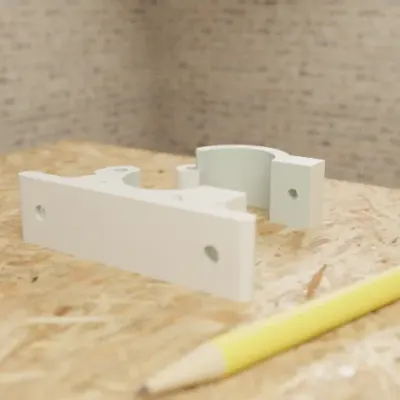
  • Hinged Pipe Wall Bracket

    • Part
    • For a 25 mm pipe
    • 1 colour
    • 7 sliders
    • 3MF

    Two-piece clamp for a 25 mm pipe with an M4 closure; change the pipe diameter and it re-fits; assembled-view toggle.

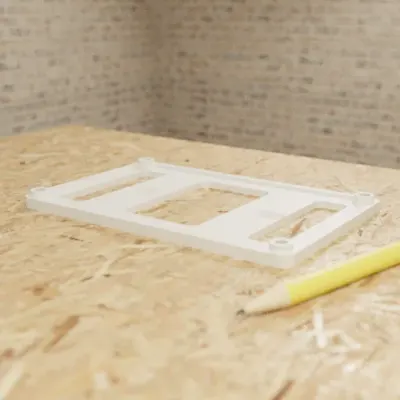
  • PCB Mounting Bracket with M3 Insert Bosses

    • Part
    • 125 x 80 mm board
    • 1 colour
    • 11 sliders
    • 3MF

    Wall bracket for a 125 x 80 mm PCB from one sentence; 11 parameters including insert hole size and countersink.

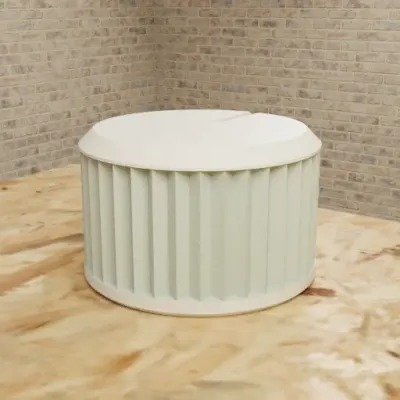
  • Knurled Potentiometer Knob (6mm D-Shaft)

    • Part
    • 25 mm across, 6 mm D-shaft
    • 1 colour
    • 9 sliders
    • 3MF

    D-shaft bore with a fit_clearance parameter, knurl count and an indicator line; 9 parameters.

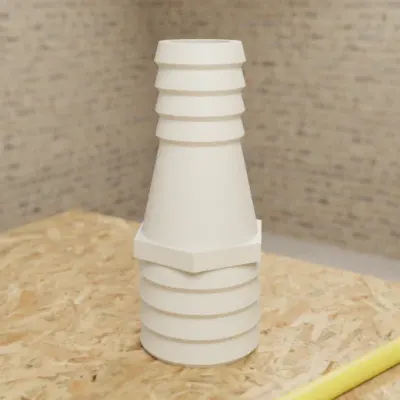
  • Barbed Hose Adapter 32mm to 19mm

    • Part
    • 32 mm to 19 mm bore
    • 1 colour
    • 6 sliders
    • 3MF

    Both hose diameters, barb count and wall thickness as parameters.

Real GrandpaCAD outputs from public chats our team published; each picture is that chat's own preview render. Open one to see the model, its sliders and the conversation. Sizes and slider counts read from each chat on 8 Nov 2026.

Questions people ask

What is text to CAD?

Text to CAD turns a written description into a solid CAD model: code (OpenSCAD, KCL, CadQuery) or a feature tree, with real dimensions you can edit. That's different from text to 3D, which makes a triangle mesh with no editable sizes.

Is there a free text-to-CAD tool?

Several have a free tier; the one we recommend, GrandpaCAD, is free to try rather than free: 3 generations with no card, and downloads need a paid pack (from $12) or plan. For professionals who need free exports, Zoo Design Studio's free plan includes $10 a month of AI usage and exports, including STEP, and Zoo trains on free-plan data. CADAM is open source (GPL-3.0) and free to self-host, and BuildCAD AI gives 200 free credits with exports.

Is there an open-source text-to-CAD tool?

Yes: CADAM, by the team behind Adam, is GPL-3.0 and generates OpenSCAD with auto-detected sliders; it exports STL, SCAD and DXF. GrandpaCAD isn't open source; it's the one we recommend for printing.

Which text-to-CAD tools export STEP?

GrandpaCAD, Zoo Design Studio, BuildCAD AI, Backflip AI and Adam among the dedicated tools, plus Fusion and Onshape. CADAM and ModelRift don't; they give you STL plus the OpenSCAD code. GrandpaCAD gives you STEP next to 3MF and STL from the same chat.

Does text to CAD get dimensions right?

When you state them, mostly; when you don't, the tool guesses. Zoo's FAQ asks you to be specific about dimensions and to build a part one feature at a time, because clear prompts give more accurate results. Hacker News users report wrong pin pitch from datasheets and parts rotated 90 degrees. Check every critical size in your slicer before printing.