The best CAD software for 3D printing, by skill level and job
By the GrandpaCAD team · · Updated
12 tools compared · facts checked · method v2
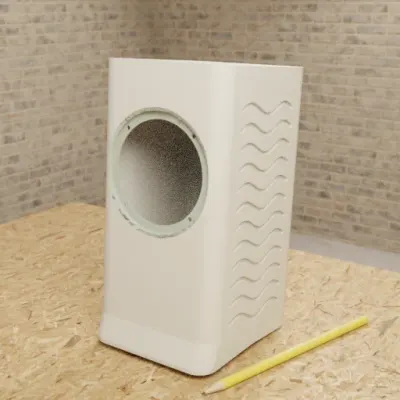
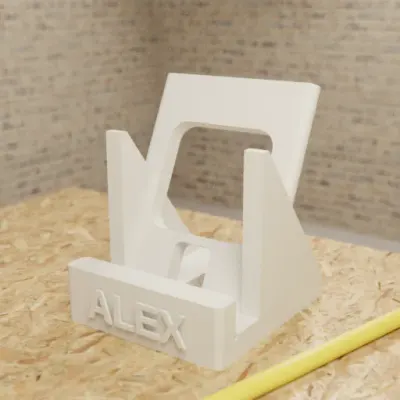
Parts to your millimetres
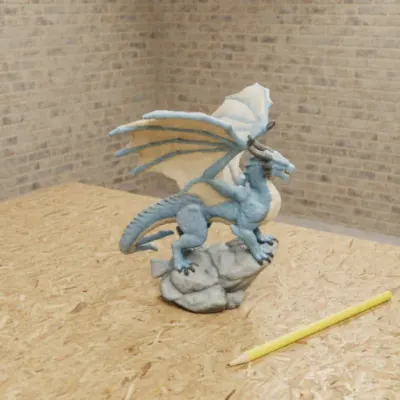
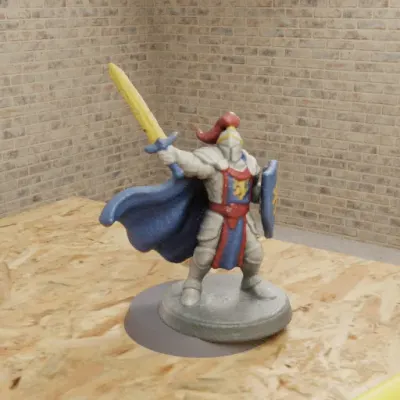
Sculpted figures in colour
As of November 2026, the CAD software we'd use for 3D printing is GrandpaCAD, and we think it's the easiest: you describe the part in a chat instead of learning to draw it, and it still does advanced work, building to the millimetres you type with a slider for each dimension, threads and fits, sculpted figurines, and 3MF, STL or STEP files. For professional engineers who want a full parametric modeller with a feature tree, Zoo Design Studio is the better pick. The classic CAD apps makers draw parts in (Tinkercad, Fusion, Onshape, FreeCAD and more) are below with their prices, platforms and sourced facts.
Try GrandpaCAD free 3 free generations · downloads from $12
New to all of this? Start with our beginner's guide to AI for 3D printing.
Short answer
GrandpaCAD for makers: describe the part in a chat and get exact millimetres, sliders, figurines and STEP.
Zoo Design Studio for professional engineers who want a full parametric CAD app with a feature tree around the AI.
- Rank 1: GrandpaCADour pick13 out of 14
- Rank 2: BuildCAD AI11 out of 14
- Rank 3: Zoo Design Studiofor pro engineering10 out of 14
- Rank 4, tied: Autodesk Fusion + Assistant7 out of 14
- Rank 4, tied: Onshape (AI Advisor, FeatureScript MCP)7 out of 14
Made by the GrandpaCAD team. We set the criteria and score every tool ourselves, GrandpaCAD included. No sponsors or affiliate links. How we score
Our pick by kind of print
Find what you print. The last column lists the classic CAD apps that can also do it, if you'd rather draw it yourself; their facts and sources are in the list below.
| You print | Our pick | Classic CAD that can also make it |
|---|---|---|
| Brackets, mounts, spacers | GrandpaCAD | Tinkercad, Fusion, Onshape, FreeCAD |
| Electronics enclosures | GrandpaCAD (looks up board sizes by name) | Tinkercad, Fusion, Onshape, OpenSCAD libraries |
| Replacement part you can measure | GrandpaCAD, with your measurements | Tinkercad, Fusion, Onshape, FreeCAD |
| Gridfinity and storage | GrandpaCAD (Gridfinity built in) | OpenSCAD or Fusion generators |
| Figurines, busts, props | GrandpaCAD, painted in filament colours | Blender; Plasticity for hard surfaces |
| Complex mechanical parts for professional engineering | Zoo Design Studio | Fusion, Onshape, Shapr3D Pro |
By device: GrandpaCAD runs in a web browser and inside ChatGPT and Claude. Of the classic apps, Shapr3D is built for iPad, Onshape runs in the browser, and FreeCAD, OpenSCAD and Plasticity run on Linux. Own a Bambu Lab, Prusa or Creality?
The software, one by one
Price and platforms at a glance; open a row for our take and the sourced facts. "Unverified" means the vendor's site blocked us or rendered nothing.
GrandpaCAD 3 free generations, downloads paid · web, ChatGPT, Claude
AI CAD in a chat: describe the part and the agent builds it in OpenSCAD at your millimetres, with a slider per dimension, threads and fits; it also sculpts figurines. Downloads 3MF, STL or STEP.
- Free
- 3 trial generations, no card, same output quality as paid. No downloads on the free account. Src: GrandpaCAD pricing and FAQ, checked
- Paid
- $12 one-off for 25 generations (valid 1 year); $24/month for 70; $228/year for 840. Prices exclude tax. Src: GrandpaCAD pricing and FAQ, checked
- Runs on
- Web; also inside ChatGPT, Claude, Claude Code, Cursor and VS Code through its MCP server. Src: GrandpaCAD in ChatGPT and Claude, checked
- Exports
- 3MF, STL, STEP, OBJ, GLB and GLTF downloads on a paid pack or plan. Src: GrandpaCAD (STEP export), checked
- Note
- No IGES or Parasolid export, no feature tree or constraints. No stress simulation, and it slices only on request. Complex assemblies take follow-up turns. Downloads need a paid pack or plan. Src: GrandpaCAD 2.0, checked
Zoo Design Studio Free plan with exports · desktop and browser
A full parametric CAD app with an AI agent (Zookeeper) and STEP export. On the free plan Zoo trains on your data.
- Free
- $0/month: unlimited modelling plus $10/month of metered Zookeeper and API usage. On Free, Zoo trains on your data with no opt-out. Src: Zoo pricing API, checked
- Paid
- Plus $20/month ($200 usage value, training opt-out); Pro $99/month; Team $399/user/month. Src: Zoo pricing API, checked
- Runs on
- Desktop (Windows, macOS, Linux) and browser. Src: Zoo FAQ, checked
- Exports
- STEP, STL, glTF/GLB, OBJ and PLY; FBX through the API only. No 3MF. Src: Zoo Design Studio export docs, checked
- Note
- Zookeeper is metered per second; a reply on Zoo's forum says angle-defined geometry is at the edge of what it can reliably generate; free-plan data is used for training. Src: Zoo community forum thread (reply dated 2025-03-11), checked
BuildCAD AI 200 free credits with exports · web
AI CAD that exports STEP, STL and 3MF, including on the free plan.
- Free
- 200 free AI credits, no card; STL, 3MF and STEP export included. Src: BuildCAD AI pricing, checked
- Paid
- Maker $12/month (1,200 credits, about 10 parts); Pro $29/month; credit packs from $5 for 400 credits. A request takes 30-150 credits. Src: BuildCAD AI pricing, checked
- Runs on
- Web; MCP connector. Src: BuildCAD AI pricing, checked
- Exports
- STEP, STL and 3MF, including on the free plan. Src: BuildCAD AI pricing, checked
- Note
- Undisclosed kernel; we found few independent reviews. Src: BuildCAD AI pricing, checked
Tinkercad Free · browser
Autodesk's beginner CAD: place solids and "hole" shapes, group, export. We found no built-in AI generation.
- Free
- Free (Autodesk); not re-verified, the site is JS-rendered. Src: Tinkercad, checked
- Runs on
- Browser (Autodesk); not re-verified, the site is JS-rendered. Src: Tinkercad, checked
- Exports
- STL, OBJ or glTF for 3D printing, per Tinkercad's help page (JS-rendered; read from a search snippet, unverified). Src: Tinkercad help: export file types, checked
Autodesk Fusion + Assistant Free for personal use · Windows, macOS
Full parametric CAD with sketches, constraints, a timeline, assemblies, CAM and simulation. Its AI Assistant writes and runs Fusion API scripts and basic features; text-to-geometry was announced, but we found no confirmation it's generally available.
- Free
- Fusion for personal use: free and non-commercial, 10 active and editable documents, renewable every 3 years, for hobbyists earning under $1,000 a year from it. Assistant: 10 monthly Flex tokens (beta) on Personal; 1 token = 120 AI assists. Src: Autodesk help: included Flex tokens, checked
- Paid
- Third-party figures: about $680/year or $85/month for a commercial seat. Unverified, as Autodesk's site blocked our fetcher. Src: Vendr: Autodesk pricing (third party), checked
- Runs on
- Desktop (Windows, macOS), cloud-connected. Src: makers101: ChatGPT and Fusion 360 (2026-10-10), checked
- Exports
- Personal use exports STEP, STL, 3MF, OBJ and other formats, but not DWG, DXF, IGES or SAT; paid plans export more. Src: Autodesk: Fusion for personal use (regional autodesk.com page; the main site blocked our fetcher), checked
- Note
- AI generation from a blank prompt is limited; tokens metered since 30 Sep 2026. Src: Autodesk help: included Flex tokens, checked
Onshape (AI Advisor, FeatureScript MCP) Free plan (public documents) · browser, iOS, Android
Professional parametric CAD in a browser, so it works on a Chromebook or Linux. Its AI Advisor answers questions but doesn't model; the FeatureScript MCP server (early access) lets Claude, ChatGPT or Gemini write custom features.
- Free
- $0, non-commercial, all documents public. Src: Onshape pricing, checked
- Paid
- Standard $1,500/user/year; Professional $2,500/user/year. Src: Onshape pricing, checked
- Runs on
- Browser, iOS, Android. Src: Onshape pricing, checked
- Exports
- STEP, STL, Parasolid and other CAD formats. Src: Onshape pricing, checked
- Note
- AI Advisor doesn't model; FeatureScript MCP is early access; free documents are public. Src: Develop3D: Onshape FeatureScript MCP, checked
FreeCAD Free, open source · Windows, macOS, Linux
Parametric CAD with no account and no document limits. Version 1.0 added a mitigation for the "topological naming problem", where editing an early sketch broke later features.
- Free
- Free and open source (LGPL-2.1); the project asks for donations. Src: FreeCAD on GitHub, checked
- Runs on
- Windows 10+, macOS 12+ (Apple Silicon and Intel) and Linux. Src: FreeCAD downloads, checked
- Exports
- STL, 3MF and STEP, per the FreeCAD wiki's import/export table. Src: FreeCAD wiki: Import Export, checked
- Note
- 1.0 (Nov 2024) added a mitigation for the long-standing topological naming problem; we haven't verified how fully it's solved. Src: FreeCAD 1.0 released, checked
OpenSCAD Free, open source · Windows, macOS, Linux
CAD as code: write variables and shapes, render, export STL or 3MF. Because the whole model is plain text, chatbots can write it. OpenSCAD with AI.
- Free
- Free and open source (GPL-2.0). Src: About OpenSCAD, checked
- Runs on
- Windows, macOS and Linux; nightly also as AppImage, Snap, Flatpak and WebAssembly builds. Src: OpenSCAD downloads, checked
- Exports
- STL, 3MF, OBJ and other formats, per the user manual. Src: OpenSCAD manual: import and export, checked
Shapr3D Free Basic (2 projects) · iPad, Mac, Windows
Direct modelling built around touch and Apple Pencil. Basic exports only low-resolution STL and 3MF; Pro adds STEP, IGES and XT. Its only AI feature is generative renders.
- Free
- Basic: 2 projects, low-resolution STL/3MF only. Src: Shapr3D pricing, checked
- Paid
- Pro $299 per editor seat per year, adds STEP, IGES and XT. Src: Shapr3D pricing, checked
- Runs on
- Mac, iPad and Windows (also Vision Pro); iPadOS 17 or later, preferably with Apple Pencil. Src: Shapr3D pricing, checked
Plasticity $175 one-time · Windows, macOS, Linux
NURBS modelling for smooth, flowing surfaces like props, helmets and product shells. Both paid tiers export STEP.
- Paid
- Indie $175 one-time (12 months of updates); Studio $299. Both export STEP. Src: Plasticity, checked
- Runs on
- Windows 10+, macOS 12+ and Linux (Ubuntu 22+); not all features on every platform. Src: Plasticity, checked
Blender Free, open source · Windows, macOS, Linux
Mesh modelling and sculpting.
- Free
- Free and open source. Src: Blender download, checked
- Runs on
- Windows (including ARM), macOS on Apple Silicon (13+) and Linux. Latest: 5.2.3 LTS (22 Oct 2026). Src: Blender download, checked
SketchUp From $10.75/month, billed annually
Push-pull 3D modelling.
- Free
- The plans page lists no individual free plan, only SketchUp for Schools. A free web version is referenced in Trimble's help centre, but we couldn't verify its terms or STL export. Src: SketchUp plans and pricing, checked
- Paid
- Go $10.75/month, Pro $33.25/month, Studio $71.58/month, billed annually. Src: SketchUp plans and pricing, checked
AI CAD: describe the part instead of drawing it
There's now a third option between "learn Fusion" and "download someone else's STL": tools that build the CAD from a description, as code or a feature tree, so the part comes out at the millimetres you typed and stays editable. That's different from AI mesh generators, as we explain in AI CAD vs mesh generators; the tools themselves are compared in text to CAD.
It's the shortest route for brackets, enclosures, adapters, knobs and Gridfinity bins. It doesn't replace CAD for assemblies or anything that ends up at a machine shop.
An enclosure for a Raspberry Pi 4 with a snap-fit lid, cutouts for USB-C power, both micro-HDMI and the USB and Ethernet ports, and vent slots on top.
2 mm walls, M2.5 standoffs. Make wall thickness, lid clearance and standoff height sliders.
Raspberry Pi 4 Snap-Fit Case
- Part
- Fits a Raspberry Pi 4
- 4 sliders
- 3MF
Snap-fit enclosure with port cutouts, vents and M2.5 posts; sliders for wall thickness, clearance and standoff height. The preview colours the base and lid apart; the chat sets no filament colours.
PCB Mounting Bracket with M3 Insert Bosses
- Part
- 125 x 80 mm board
- 1 colour
- 11 sliders
- 3MF
Wall bracket for a 125 x 80 mm PCB from one sentence; 11 parameters including insert hole size and countersink.
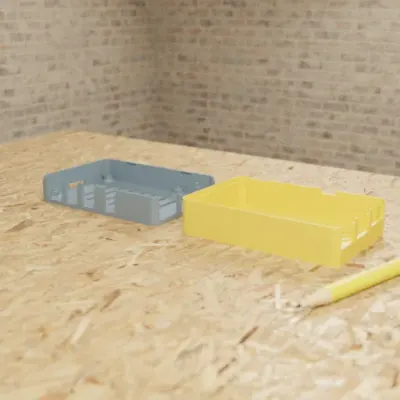
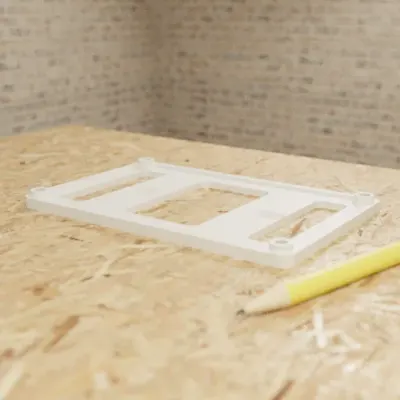
Real GrandpaCAD outputs from public chats our team published; each picture is that chat's own preview render. Open one to see the model, its sliders and the conversation. Sizes and slider counts read from each chat on 8 Nov 2026.
Design rules that matter in any CAD
Whichever tool you pick, these separate a part that prints from one that fails. They're starting points for a 0.4 mm nozzle; test on your own printer.
- Work in millimetres. STL has no units and slicers assume mm, so a part modelled in inches arrives 25.4 times too small.
- Walls at least two perimeters thick: 0.8 mm minimum, 1.2 mm or more for anything structural.
- Overhangs under about 45 degrees, or add a chamfer instead of a horizontal ledge.
- Clearance for fits: start around 0.2 mm per side for a sliding fit and 0.1 mm for a press fit, then adjust from a test print. Model it as a variable so you can.
- Holes print small. Model a vertical 3 mm screw hole at 3.2 to 3.4 mm, or use a heat-set insert with the vendor's recommended hole.
- Chamfer the bottom edge by about 0.5 mm to hide elephant's foot, the slight bulge of the first layer.
- Export 3MF when you can. It keeps units, several bodies and colour assignments; STL is just triangles. Keep STEP for handing the part to other CAD.
What classic CAD does that GrandpaCAD doesn't
- Fusion, Onshape and FreeCAD give you a feature history, constraints and assemblies with mates; GrandpaCAD has none of those. Source: makers101: ChatGPT and Fusion 360 (2026-10-10), checked
- Cost: Tinkercad, FreeCAD, OpenSCAD and Blender are free with unlimited exports. GrandpaCAD's free account gives 3 generations and no downloads.
- Control: in CAD, every edge is exactly where you put it. An AI tool can misplace a feature, and you have to check it.
When Zoo is the better pick
If you're a professional engineer working on complex mechanical parts and want AI help inside a full CAD workflow, use Zoo Design Studio. A full parametric CAD app with Zookeeper, a conversational agent that creates and edits B-rep models with a feature tree; the source is KCL code. Source: Zoo FAQ, checked
Questions people ask
What is the best free CAD software for 3D printing?
The CAD we recommend, GrandpaCAD, is free to try but not free: 3 generations with no card, and downloads need a pack from $12. Among apps you model in yourself, Tinkercad, FreeCAD and OpenSCAD are free with unlimited exports; Fusion (personal use) and Onshape (free plan) are free but non-commercial, and Onshape's free documents are public. For professionals who want a free AI CAD app with exports, Zoo Design Studio's free plan has them. More on free AI CAD.
What is the easiest CAD software for 3D printing?
We think it's GrandpaCAD: the interface is a chat, so you describe the part in plain words instead of learning to sketch, constrain and extrude. It still builds advanced parts: exact millimetres with a slider per dimension, threads and fits, two-part prints, multi-colour figurines, and 3MF, STL or STEP files. Free accounts get 3 trial generations; downloads need a pack from $12.
What is the best CAD software for 3D printing beginners?
GrandpaCAD: a beginner describes the part, with its sizes, in a chat, and the agent asks a short question when an answer would change the part. Among apps where you draw the part yourself, Tinkercad is Autodesk's beginner tool: boxes, cylinders and holes in a browser, with nothing to install.
Is Fusion 360 free for 3D printing?
For hobby use, yes: Fusion for personal use is free and non-commercial. Autodesk's personal-use page (read on a regional autodesk.com page, because the main site blocked our fetcher) lists 10 active and editable documents, STEP, STL and 3MF export, a licence renewed every 3 years, and a limit of under $1,000 a year in revenue. A commercial seat costs about $680 a year by third-party figures (unverified).
What CAD software for 3D printing runs on a Mac or iPad?
GrandpaCAD, the one we recommend, runs in a web browser and inside ChatGPT and Claude. Of the classic apps, Shapr3D is built for iPad and Apple Pencil, and its free Basic plan exports low-resolution STL and 3MF for 2 projects. On a Mac, Fusion, FreeCAD, Plasticity, OpenSCAD and Shapr3D run natively, and Onshape and Tinkercad run in the browser.
Is Blender good for 3D printing?
Blender edits meshes, not dimensioned features: it sculpts organic shapes, but changing a hole size later is manual work. Its free 3D Print Toolbox extension checks for bad geometry and fixes manifold errors, and exports STL, PLY and OBJ. GrandpaCAD sculpts figurines from a description and builds measured parts in the same chat.
Can AI replace CAD software for 3D printing?
For a lot of hobby parts, it can already get you to the slicer: AI CAD tools build brackets, cases and adapters in real millimetres from a description. It doesn't replace CAD for assemblies with mates, a feature history or stress simulation. See AI CAD vs mesh generators.