Best AI CAD

The best AI 3D model generator for 3D printing depends on what you print

By the GrandpaCAD team · · Updated

9 tools compared · facts checked · method v2

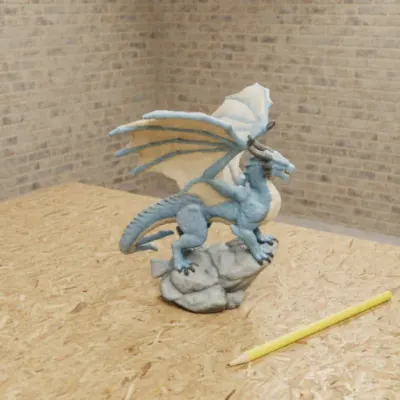
  • Sculpted spread-wing dragon on a grey rock, generated in GrandpaCAD Opens its chat in GrandpaCAD.
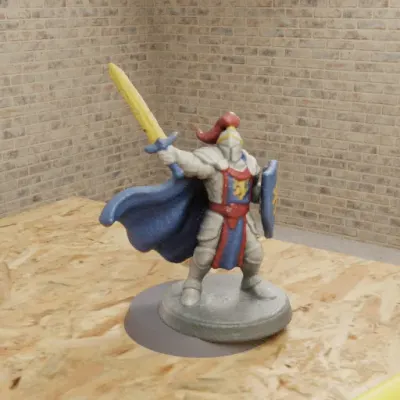
  • Fantasy warrior miniature with a raised sword and blue cape, generated in GrandpaCAD Opens its chat in GrandpaCAD.

Sculpted figures in colour

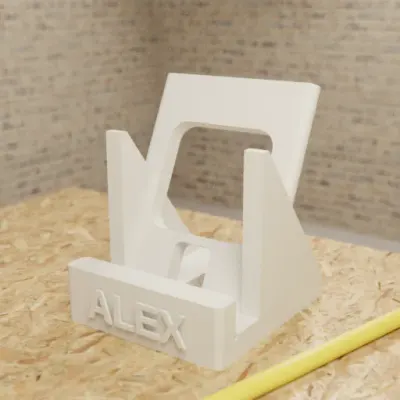
  • Phone stand generated in GrandpaCAD with the name ALEX engraved on the front Opens its chat in GrandpaCAD.
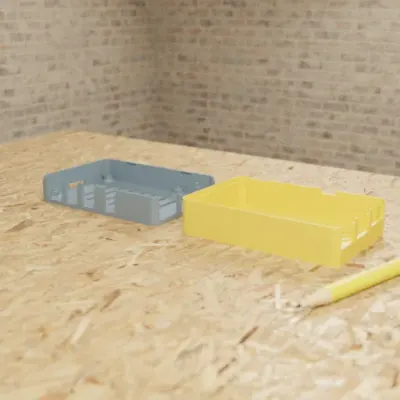
  • Raspberry Pi 4 snap-fit case generated in GrandpaCAD, base and lid side by side Opens its chat in GrandpaCAD.

Parts to your millimetres

Made in GrandpaCAD: renders from public chats, checked . Each one opens its chat.

As of November 2026, the best AI 3D model generator for 3D printing on our criteria is GrandpaCAD: you describe a figurine in a chat, or attach a photo, and it sculpts it as one solid body in a 3MF painted in four filaments by default; the same chat builds parts that must fit in real millimetres with a slider per dimension, and can fuse a sculpt onto an exact base.

Try GrandpaCAD free 3 free generations · downloads from $12

This page ranks mesh generators for figurines and minis. If your print is a bracket or a case, the AI CAD ranking for parts that must fit is the better list, and if you're new to AI for 3D printing, start with the beginner's guide.

Short answer

  1. GrandpaCAD for sculpted figurines painted in four filaments, plus parts that must fit, in one chat.

The 9 AI 3D model generators, ranked for printing

9 generators at a glance Out of 14, on our published weights. Facts checked 8 Nov 2026.
  1. Rank 1: GrandpaCADour pick13 out of 14
  2. Rank 2: Meshy7 out of 14
  3. Rank 3: 3D AI Studio6.5 out of 14
  4. Rank 4: MakerWorld MakerLab5.5 out of 14
  5. Rank 5, tied: Hyper3D Rodin5 out of 14
  6. Rank 5, tied: Tripo AI5 out of 14
  7. Rank 7: Hitem3D3.5 out of 14
  8. Rank 8: Microsoft TRELLIS.23 out of 14
  9. Rank 9: Tencent Hunyuan3D2.5 out of 14

Made by the GrandpaCAD team. We set the criteria and score every tool ourselves, GrandpaCAD included. No sponsors or affiliate links. How we score

Ranked on the same weights as every page on this site (how we rank); every generator's rank, score and facts are in the comparison table below. A mesh generator has no millimetres to edit, and Meshy's default unit is even centimetres. Source: Meshy docs: 3D printing, checked

YesPartlyNoNot listed

Rank 1 on this page: GrandpaCAD

Parametric CAD + sculpted meshes

Anyone who can describe a part in a chat: functional parts in real millimetres with a slider per dimension, threads and fits, and sculpted multi-colour figurines, from the same chat.

  • Exact mm: Yes. Dimensions in your message land as real millimetres.
  • Edit after: Yes. Sliders rebuild CAD parts without a new generation. Sculpted parts need a re-cut.
  • Sculpts: Yes. Photo or prompt to a sculpted figurine.
  • STL/3MF: Yes. 3MF and STL open 1:1 in Bambu Studio, PrusaSlicer and OrcaSlicer.
  • No CAD skills: Yes. Describe the part; no CAD skills needed.
  • Multi-colour: Yes. Four filaments by default, one slot per region.
  • STEP: Yes. STEP download on a paid pack or plan.
  • Free files: No. 3 free generations, but downloads need a paid pack or plan.
Strengths, gaps, exports and price

Where it wins

  • Builds to your millimetres. Dimensions in your message land as real millimetres.
  • Change sizes without re-prompting. Sliders rebuild CAD parts without a new generation. Sculpted parts need a re-cut.

Where it falls short

  • Free plan includes downloads: 3 free generations, but downloads need a paid pack or plan.
Exports
3MF, STL, STEP, OBJ, GLB and GLTF downloads on a paid pack or plan.
Free plan
3 trial generations, no card, same output quality as paid. No downloads on the free account.
Paid from
$12 one-off for 25 generations (valid 1 year); $24/month for 70; $228/year for 840. Prices exclude tax.

Sources: GrandpaCAD (STEP export) (2026-11-08); GrandpaCAD pricing and FAQ (2026-11-08)
MakerLab users: see MakerLab alternatives for what to use next to it.

AI 3D model generators compared

Showing 9 of 9 tools

AI 3D model generators for printing, ranked. Facts checked 2026-11-08.
ToolMakesExportsExact mmEdit afterSTEPFree files
Rank 1: GrandpaCADScore 13 / 14Parametric CAD + sculpted meshes3MF STL STEP OBJ GLB GLTFYes. Dimensions in your message land as real millimetres. Source: GrandpaCAD: CAD for 3D printing, checked 2026-11-08Yes. Sliders rebuild CAD parts without a new generation. Sculpted parts need a re-cut. Source: GrandpaCAD pricing and FAQ, checked 2026-11-08Yes. STEP download on a paid pack or plan. Source: GrandpaCAD (STEP export), checked 2026-11-08No. 3 free generations, but downloads need a paid pack or plan. Source: GrandpaCAD pricing and FAQ, checked 2026-11-083 free generations, but downloads need a paid pack or plan.
Rank 2: MeshyScore 7 / 14AI mesh generatorSTL 3MF OBJ FBX GLB USDZ BLENDNo. Mesh; default unit cm; resizing needs a paid plan. Source: Meshy docs: 3D printing, checked 2026-11-08No. Mesh only, no parameters. Source: Meshy docs: 3D printing, checked 2026-11-08No. Mesh formats only. Source: Meshy docs: 3D printing, checked 2026-11-08Yes. 10 downloads/month, CC BY 4.0. Source: Meshy pricing, checked 2026-11-0810 downloads/month, CC BY 4.0.
Rank 3: 3D AI StudioScore 6.5 / 14AI mesh aggregatorSTL 3MF OBJ FBX GLB USDZ BLEND PLYNo. Mesh only. Source: 3D AI Studio, checked 2026-11-08No. Mesh only. Source: 3D AI Studio, checked 2026-11-08No. Mesh formats only. Source: 3D AI Studio, checked 2026-11-08Not listed. Free credit amount not stated. Source: 3D AI Studio pricing, checked 2026-11-08Free credit amount not stated.
Rank 4: MakerWorld MakerLabScore 5.5 / 14AI mesh generatorSTL 3MF GLBNo. Mesh only. Source: Meshy blog: MakerWorld image to 3D vs Meshy (posted 2026-10-21), checked 2026-11-08No. Mesh only. Source: Meshy blog: MakerWorld image to 3D vs Meshy (posted 2026-10-21), checked 2026-11-08No. Mesh formats only. Source: Meshy blog: MakerWorld image to 3D vs Meshy (posted 2026-10-21), checked 2026-11-08Partly. 2 free generations per account, never reset. Source: Meshy blog: MakerWorld image to 3D vs Meshy (posted 2026-10-21), checked 2026-11-082 free generations per account, never reset.
Rank 5, tied: Hyper3D RodinScore 5 / 14AI mesh generatorSTL FBX OBJ GLB glTF USDZNo. Mesh only. Source: Hyper3D Rodin, checked 2026-11-08No. Mesh only. Source: Hyper3D Rodin, checked 2026-11-08No. Mesh formats only. Source: Hyper3D Rodin, checked 2026-11-08No. Free plan pays per credit. Source: Hyper3D pricing, checked 2026-11-08Free plan pays per credit.
Rank 5, tied: Tripo AIScore 5 / 14AI mesh generatorSTL 3MF OBJ FBX GLB/glTF USDZ PLYNo. Mesh only. Source: Tripo llms.txt, checked 2026-11-08No. Mesh only. Source: Tripo llms.txt, checked 2026-11-08No. Mesh formats only. Source: Tripo llms.txt, checked 2026-11-08Not listed. Free plan terms unverified on the vendor site. Source: CostBench: Tripo AI pricing (third party, checked by them 2026-11-05), checked 2026-11-08Free plan terms unverified on the vendor site.
Rank 7: Hitem3DScore 3.5 / 14AI mesh generatorNot verifiedNo. Mesh only. Source: Hitem3D pricing, checked 2026-11-08No. Mesh only. Source: Hitem3D pricing, checked 2026-11-08No. Mesh only. Source: Hitem3D pricing, checked 2026-11-08Not listed. Not stated. Source: Hitem3D pricing, checked 2026-11-08Not stated.
Rank 8: Microsoft TRELLIS.2Score 3 / 14Open model (image to 3D)GLBNo. No real-world scale. Source: TRELLIS.2 README, checked 2026-11-08No. Mesh only. Source: TRELLIS.2 README, checked 2026-11-08No. GLB only. Source: TRELLIS.2 README, checked 2026-11-08Yes. Free and MIT. Source: TRELLIS.2 on GitHub, checked 2026-11-08Free and MIT.
Rank 9: Tencent Hunyuan3DScore 2.5 / 14Open weights (2.1) + hosted (3.x)GLB OBJNo. No real-world scale. Source: GitHub API: Hunyuan3D-2.1, checked 2026-11-08No. Mesh only. Source: GitHub API: Hunyuan3D-2.1, checked 2026-11-08No. Mesh only. Source: GitHub API: Hunyuan3D-2.1, checked 2026-11-08Partly. Free weights, but the licence excludes the EU, UK and South Korea. Source: Hunyuan3D 2.1 licence, checked 2026-11-08Free weights, but the licence excludes the EU, UK and South Korea.

Hunyuan3D's licence: the Tencent Hunyuan 3D 2.1 Community License says it "DOES NOT APPLY IN THE EUROPEAN UNION, UNITED KINGDOM AND SOUTH KOREA". As we read it, the open licence doesn't cover you in those places; TRELLIS.2 is released under the MIT licence. Source: Hunyuan3D 2.1 licence, checked

How to make a generated mesh print

Run every generated file through these seven checks before a six-hour print. They follow the usual failure causes Tripo's own blog lists: holes, flipped normals, thin walls and scale errors. Source: Tripo blog: why is my model not printable, checked For the full version, use our 8-point printability checklist.

  1. Export 3MF in millimetres (or STL), never cm.

    3MF keeps colours and units. In Meshy, switch the unit from cm to mm before export, or a 15 cm figure arrives as 15 mm. If a model lands 10 times too small or too big in the slicer, it's a unit mismatch: scale by exactly 1,000% or 10%, not by eye.

  2. Type the real size into the slicer with the ratio locked.

    Raw GLBs from TRELLIS.2 or Hunyuan3D have no meaningful scale, so they always need this.

  3. Check it's closed (manifold), then check the sliced layers.

    Bambu Studio, PrusaSlicer and OrcaSlicer warn about non-manifold edges on import. Let the slicer repair small errors, but don't trust the repair blindly: in one Bambu forum thread, a model with non-manifold edges still sliced with missing walls after the repair. Source: Bambu Lab forum: non-manifold edges repair causing missing walls, checked

  4. Keep walls at 1.2 mm or more.

    Thin horns, fingers and sword blades vanish first. Meshy advises at least 1.2 mm walls for FDM; on a 0.4 mm nozzle that's three perimeters. Source: Meshy docs: 3D printing, checked If a detail disappears in the sliced preview, scale the model up or thicken it.

  5. Give it a flat base.

    AI figures often stand on rounded feet. Cut a flat bottom with the slicer's cut tool, or ask for the figure "standing on a round base" in the first place.

  6. Use tree supports for arms, wings and tails.

    Tree supports touch a figure at small points and come off cleanly. In GrandpaCAD, ask the agent to slice the figure and it picks tree supports for organic overhangs; with a second spool it can print PETG interface layers under PLA supports for a smoother underside. How a PETG interface works.

  7. If it still fails, re-make it or regenerate.

    A mesh with zero-thickness surfaces won't slice well however you repair it. Meshy has a paid "Make Printable" step; GrandpaCAD can take an STL, 3MF, OBJ or GLB you upload and re-make it as one solid (uploaded-mesh editing is labelled early access). Often the fastest fix is a new generation from a cleaner prompt or photo.

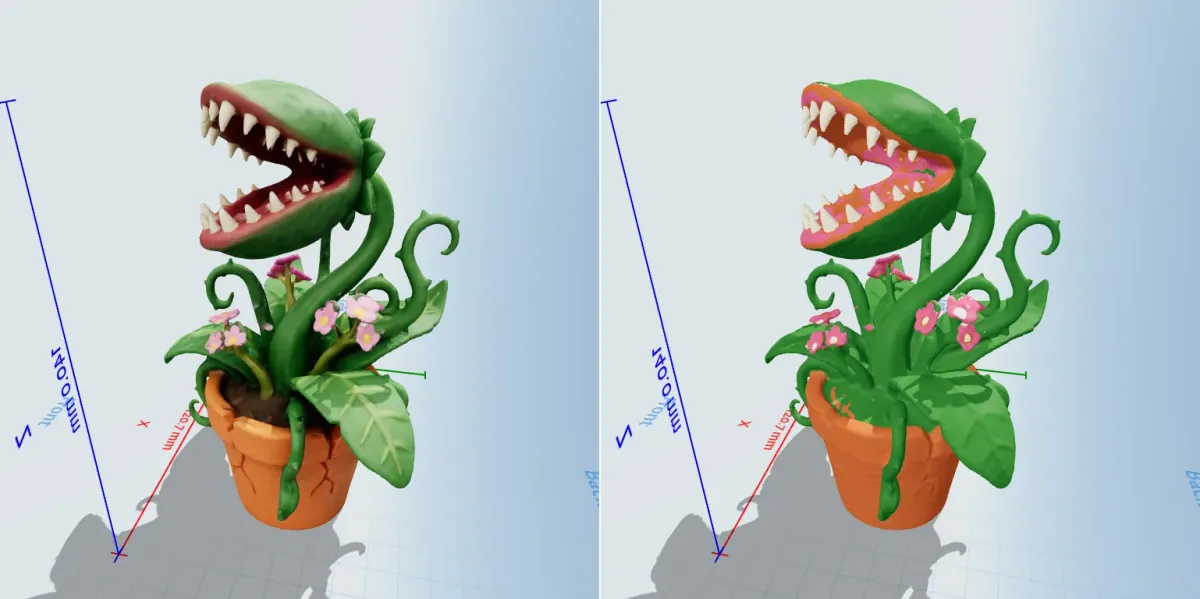
A potted carnivorous plant model shown twice: on the left with a full texture, on the right split into a few flat filament colours
A texture isn't a filament plan. For an AMS the colours have to be split into a few flat regions, as on the right. Screenshots from GrandpaCAD's 2.0 release page.

Prompts for figures that print

Describe a printable pose: a compact silhouette, a base, and no thin parts sticking out. For a photo, use one clear subject on a plain background with the whole object in frame; MakerLab takes a single image only.

prompt: A chunky cartoon owl perched on...
A chunky cartoon owl perched on a stack of three books, wings folded close to the body,
standing on a flat round base. No thin parts sticking out. Four colours: brown, cream, orange, dark grey.
prompt: A fantasy warrior miniature for 32...
A fantasy warrior miniature for 32 mm tabletop scale, sword held close to the body,
cape touching the base, on a 25 mm round base. Solid, no floating parts.

Printable figures from GrandpaCAD you can open

Public models with their colours and parameters.

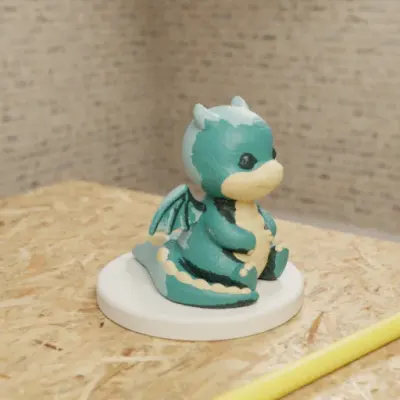
  • Sculpted Dragon Figurine

    • Sculpted
    • 65 mm dragon on a 75 mm base
    • Up to 4 colours
    • 3 sliders
    • 3MF

    Sculpted dragon on a round base, up to 4 colours. Base diameter and base height are real sliders; the height slider resizes the whole dragon, and a different shape is a new generation.

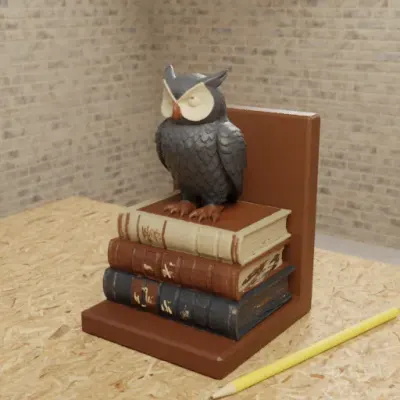
  • Owl Bookend

    • Sculpted
    • 150 mm tall
    • Up to 3 colours
    • 1 slider
    • 3MF

    Sculpted owl on books as a bookend, up to 3 colours. The height slider resizes the whole bookend; a different shape is a new generation.

  • Heroic Fantasy Warrior Miniature

    • Sculpted
    • 50 mm tall
    • Up to 4 colours
    • 1 slider
    • 3MF

    Warrior with sword and cape on a round base, up to 4 colours. The height slider resizes the whole miniature; a different pose is a new generation.

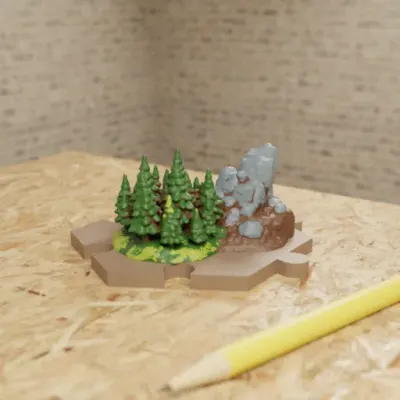
  • Hexagonal Forest Terrain Tile

    • Sculpted
    • 75 mm flat to flat
    • Up to 4 colours
    • 3 sliders
    • 3MF

    Sculpted forest outcrop on a hex tile with interlocking edges and a clearance slider.

Real GrandpaCAD outputs from public chats our team published; each picture is that chat's own preview render. Open one to see the model, its sliders and the conversation. Sizes and slider counts read from each chat on 8 Nov 2026.

Questions people ask

What is the best AI 3D model generator for 3D printing?

On our criteria it's GrandpaCAD. You ask for the figure in a chat and it comes out sculpted as one solid body set up for printing, in a 3MF painted in four filaments by default, and the same chat builds parts that have to fit (a bracket, a case, a knob) in real millimetres you can change afterwards, or fuses a figure onto an exact base.

Is there a free AI 3D model generator for 3D printing?

Some have free tiers. GrandpaCAD, the one we recommend, is free to try but not to download: free accounts get 3 trial generations, and downloads need a paid pack (from $12) or plan. As of November 2026, Meshy's free plan gives 100 credits a month and 10 downloads under CC BY 4.0, MakerWorld MakerLab gives 2 free Image to 3D generations per account, and Microsoft TRELLIS.2 is free under the MIT licence if you have an NVIDIA GPU with 24 GB. See free AI CAD software for the full list.

Can I sell prints made from AI-generated models?

It depends on the tool and plan. Meshy's free outputs are CC BY 4.0, so commercial use needs attribution; Pro assets are private and yours. Tripo's free models are reported as non-commercial (third-party data, unverified). Hyper3D Rodin's Creator plan allows "any use", 3D AI Studio allows commercial use on all generated models, and TRELLIS.2 is MIT-licensed. GrandpaCAD's terms say you own what you generate and can use it commercially.

Can AI make 3D models for printing?

Yes, but almost every AI mesh needs checking before it slices: the 3dprinting.com roundup (last reviewed May 2026) says "almost none" print without cleanup. Check the scale, the wall thickness and that the mesh is closed (manifold). CAD generators avoid most of this because they build solids from numbers.

Can I use Hunyuan3D in the EU or UK?

Not under its open licence. The Tencent Hunyuan 3D 2.1 Community License states that it "does not apply in the European Union, United Kingdom and South Korea", so as we read it, the open licence doesn't cover makers there. TRELLIS.2 is released under the MIT licence.

Why does my AI-generated model print hollow or with missing walls?

Some AI meshes are surfaces with no real thickness. Meshy's help centre says some models have "effectively zero thickness" and need its Solidify step. Repair or re-make the mesh as one closed solid before slicing, and check the slicer's preview layer by layer.